related blog
Shopify
Everything You Need to Know About Shopify
What you will learn
- What Shopify is, how it works as a hosted ecommerce platform, and what it handles for you behind the scenes
- Shopify's core features: themes, payments, inventory, shipping, and marketing tools
- A step-by-step walkthrough of setting up your first Shopify store
- Shopify's 2026 pricing from Starter at $5/month to Shopify Plus at $2,300+/month
- Practical tips from hands-on store builders to optimize mobile, SEO, and conversions
Shopify is a cloud-based ecommerce platform that lets anyone build and run an online store, without writing a single line of code. You pay a monthly subscription, pick a theme, add your products, connect a payment method, and start selling. Shopify handles the hosting, security, and checkout behind the scenes so you can focus on the part of the business that actually makes money.
Here's the short version of how it all fits together:
- What it is: A Software-as-a-Service (SaaS) ecommerce platform that powers millions of online stores worldwide.
- How you use it: Subscribe, customize a theme, add products, configure payments and shipping, and launch.
- Who it's for: Everyone from first-time founders to global brands like Gymshark, Allbirds, and Kylie Cosmetics.
- What it costs: $5/month on the Starter plan up to $2,300+/month on Shopify Plus.
- Time to launch: A basic store can go live in 2-4 hours.
The rest of this guide explains exactly how each of those pieces works, with the pricing, setup steps, and the practical tips we've learned from building Shopify stores for a living at Dropbuild.
What Is Shopify?
Shopify is a hosted ecommerce platform, meaning everything runs on Shopify's servers, not yours. There's nothing to install, no server to maintain, no security patches to apply. You log in from any browser and manage your store through a clean admin dashboard.
The best way to think about it: if WordPress is like owning a house (you deal with everything yourself), Shopify is like renting a fully-furnished apartment in a high-end building. Less flexibility, but also no plumbing emergencies. For most people running an online store, that's exactly the trade-off you want.
Shopify handles the unglamorous parts, hosting, SSL certificates, PCI compliance, payment processing, checkout optimization, fraud protection, uptime, so you can focus on products, branding, and sales. Unlike platforms that turn you into a part-time sysadmin, Shopify wraps the whole stack into one subscription.
That's a big part of why Shopify has become one of the most popular ecommerce platforms in the world. It's flexible enough for enterprise brands running tens of millions in revenue, but simple enough that a first-time founder can launch a store the same week they come up with the idea.
What Can You Sell on Shopify?
One of the first questions most new merchants ask is whether their product category actually fits the platform. The short answer: almost anything legal. Shopify is product-agnostic by design, which is why it powers everything from one-person candle makers to publicly-traded apparel brands. Here's the breakdown of what you can sell:
- Physical products: The core use case. Apparel, beauty, home goods, electronics, food and beverage, pet products, jewelry, and everything in between. If you can ship it, you can sell it on Shopify.
- Dropshipped products: You don't need to hold inventory. Apps like DSers, Zendrop, and Spocket connect your store to suppliers who ship directly to your customer. This is the model Dropbuild builds every store around, and it's what lets people start an ecommerce business with almost no upfront capital.
- Digital products: Ebooks, templates, printables, stock photos, music, software licenses, fonts, and digital downloads. Shopify handles the file delivery and license management through built-in tools or apps like SendOwl.
- Services and bookings: Consultations, classes, repairs, appointments, rentals. Apps like BookThatApp or Sesami turn your Shopify store into a booking system.
- Subscriptions: Recurring boxes (snack boxes, coffee, pet treats), software subscriptions, content memberships, or any "charge customers monthly" model. Shopify has native subscription tools plus apps like Recharge for more advanced flows.
- Print-on-demand: Design t-shirts, mugs, posters, phone cases, and more. Apps like Printful and Printify handle printing and shipping after the sale, so you never touch inventory.
- Courses and memberships: Gate educational content behind a purchase or subscription using apps like Thinkific or Courses Plus.
- Wholesale and B2B: Sell to other businesses with custom pricing, tiered discounts, and net-30 payment terms using Shopify's built-in B2B features (on Plus) or wholesale apps.
- In-person sales: Shopify POS turns your online store into an omnichannel setup for brick-and-mortar, pop-ups, and markets.
What you can't sell on Shopify: anything on Shopify's Acceptable Use Policy banned list, which mostly covers regulated industries (firearms components, certain CBD and tobacco products depending on region, adult content, and a few high-risk financial products). For 99% of ecommerce ideas, Shopify works fine.
Shopify's Top Features
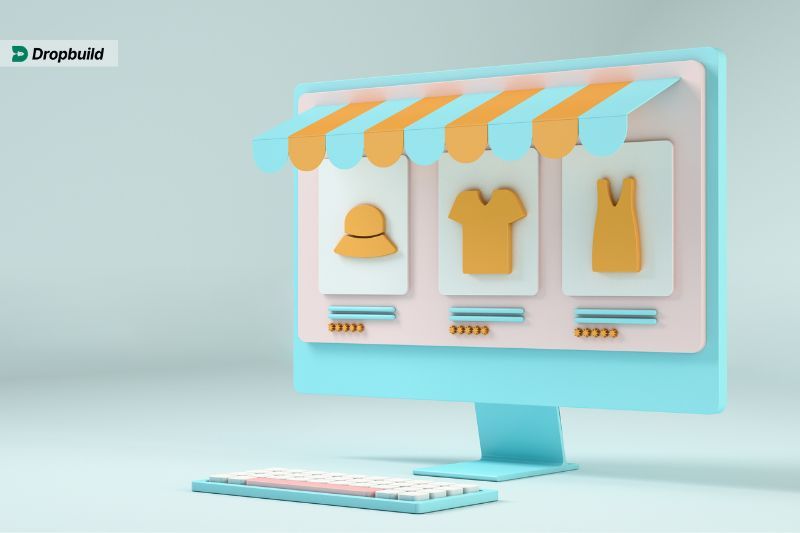
Shopify's feature set is deep, but most new store owners use the same core handful of tools every day. Here's what actually matters:
Storefront Customization
Shopify ships with a library of professional themes, free and paid, that handle the design heavy lifting. Modern minimalism, bold product-first layouts, content-driven brands: there's a theme for each. The free Dawn theme is a great starting point and, in our experience, outperforms a lot of paid themes for conversion.
The drag-and-drop editor lets you tweak layouts, colors, fonts, and sections without touching code. Every theme is mobile-responsive by default, which matters because the majority of ecommerce traffic now comes from phones.
Payment Processing
Accepting payments is where a lot of platforms get messy. Shopify Payments (Shopify's built-in processor) lets you accept credit cards, Apple Pay, Google Pay, and Shop Pay directly, no separate merchant account needed. If you prefer a third-party processor, Shopify supports over 100 gateways including PayPal and Stripe. Just note that using anything other than Shopify Payments adds an extra transaction fee on top of your plan, we break this down in the full Shopify fees guide.
Inventory Management
Shopify handles stock with real-time tracking across all your sales channels. You can set low-stock alerts, track inventory across multiple warehouse locations, assign SKUs and barcodes, and bulk-edit product data. This matters more than it sounds, running out of stock on a winning product mid-ad-campaign is one of the most common preventable mistakes we see new stores make.
Shipping Solutions
Shopify covers both domestic and international shipping. You get discounted carrier rates with USPS, UPS, DHL, and Canada Post (the discount can hit 80%+ on some routes), automated label printing straight from the order screen, and tracking updates that get pushed to the customer automatically. For larger operations, the Shopify Fulfillment Network handles warehousing and shipping end-to-end.
Marketing Tools
Shopify's social media integration turns Instagram, Facebook, and TikTok into direct sales channels, customers can buy without leaving the app. The built-in tools also cover email campaigns, abandoned cart recovery, SEO basics, and detailed analytics. For most stores in their first year, the built-in tools are enough. As you scale, apps like Klaviyo (email) and PostPilot (direct mail) fill in the gaps.
Those are the pieces you'll touch every day. The real question is how easy it is to actually get a store up and running, which is where Shopify really shines.
How to Get Your Shopify Store Up and Running

Even if you've never built a website before, Shopify's guided setup will walk you through it. Here's the sequence every new store follows:
1. Start a Free Trial and Register Your Account
- Head to Shopify's website and click "Start Free Trial."
- Enter your email, create a password, and name your store.
- Fill in a few basic details about your business, you can update these later.
2. Set Up a Domain Name
- Buy a domain directly through Shopify, or connect one you already own from GoDaddy, Namecheap, or similar.
- Shopify handles the DNS setup automatically, so you're usually live within minutes.
3. Choose a Theme and Customize Your Store
- Browse the Shopify Theme Store to find a look that matches your brand. Dawn (free) is a strong default.
- Use the drag-and-drop editor to adjust layouts, colors, and fonts.
- Upload your logo, brand imagery, and any hero visuals.
4. Add Products to Your Store
- In the admin, click "Add Product" to start listing items.
- Include detailed descriptions, high-quality images, and accurate pricing.
- Organize products into collections like "New Arrivals" or "Best Sellers" to make browsing easier.
5. Configure Payment and Shipping Options
- Turn on Shopify Payments, or connect a third-party gateway like PayPal.
- Define shipping zones, rates, and methods. Set up automatic tax calculations before your first sale, it saves hours of cleanup later.
6. Launch Your Store Live
- Preview the store end-to-end and place a test order to make sure checkout works.
- Remove the password protection, and your store goes live.
That's the mechanical side. The harder part is the stuff most tutorials skip: finding winning products, writing copy that converts, and running ads that actually turn a profit on day one. That's where most new stores stall out.
If you'd rather not figure all that out on your own, Dropbuild's done-for-you service handles the whole thing, store, products, suppliers, ads, in 7 days. Built by a team that does nothing but launch Shopify stores all day.
Ways to Make Your Shopify Store Even Better

Running a successful ecommerce store takes more than listing products and hoping. A few foundational habits separate stores that grow from stores that stall:
1. Optimize for Mobile Devices
Most ecommerce traffic now comes from phones, so your store has to feel native on a small screen. Clean navigation, short paragraphs, large tap targets, and a fast checkout are non-negotiable. Test every page on your phone before launch, if you get frustrated, your customers will too.
2. Use High-Quality Product Images and Videos
Product photography is the single biggest lever for conversion on most stores. Show every angle, include lifestyle shots, and add a short product video if you can. Compress files so pages stay fast, Shopify's built-in image optimization helps, but it's not magic.
3. Improve Your Store's SEO
If your store doesn't show up in search, you're paying for every visitor with ads. Write keyword-rich meta descriptions, optimize page titles, add alt tags to every image, and build a blog around topics your customers search for. These small steps compound over time.
4. Personalize the Shopping Experience
Repeat customers are cheaper than new ones, so invest in the relationship. Loyalty programs, segmented email campaigns, and exclusive discounts build the habit. Apps like Smile.io make this easy to set up in an afternoon.
5. Automate Fulfillment and Shipping
Manual order processing falls apart fast once you pass ~20 orders a day. Shopify's shipping tools handle rates, labels, and tracking updates automatically, and integrating with a 3PL or the Shopify Fulfillment Network removes it from your plate entirely.
These tips work, but they all take time. If you'd rather skip the learning curve, try Dropbuild's done-for-you dropshipping service. In just 7 days you get a fully built, profit-ready store, no setup, no guesswork.
Shopify Cost: Breaking Down Its Pricing Plans

Before the full Shopify breakdown, here's how Shopify stacks up against the two most common alternatives new merchants consider, WooCommerce and Wix:
| Shopify | WooCommerce | Wix | |
|---|---|---|---|
| Starting price | $5/month (Starter), $29/month (Basic) | Free plugin + ~$10-50/month for hosting | $27/month (Core plan) |
| Hosting | Included, fully managed | You manage it yourself | Included, fully managed |
| Ease of setup | Very easy, no coding required | Moderate, requires WordPress knowledge | Very easy, no coding required |
| Payment processing | Shopify Payments built-in, 100+ gateways supported | Any gateway via plugins (more setup) | Wix Payments built-in, limited alternatives |
| Best for | Serious ecommerce at any scale | Full control and low recurring costs | Small stores that prioritize simple design |
The short version: WooCommerce is cheaper long-term but you're responsible for hosting, security, and updates. Wix is simple but its ecommerce features plateau quickly. Shopify sits in the middle, you pay more per month, but you get a fully managed platform built specifically for selling.
With that context in mind, here are the main 2026 Shopify tiers:
- Starter ($5/month): The lightest option. No full online store, instead, you sell through social media links, messaging apps, and a simple product page. Great for creators selling a handful of items, but too limited for most serious stores.
- Basic ($29/month): The standard starting point for new stores. Full online store, unlimited products, two staff accounts, basic reports, and Shopify Payments included. For most new stores, Basic is the right call until you're consistently doing $5k+/month in revenue.
- Grow ($79/month): Previously called the "Shopify" plan and rebranded in 2026. Adds five staff accounts, lower payment processing fees (2.7% + 30¢ vs. Basic's 2.9% + 30¢), up to 87% shipping discounts, and insurance. The lower fees are the real reason to upgrade, at a certain sales volume the fee savings exceed the price difference.
- Advanced ($299/month): Up to 15 staff accounts, advanced reports, and third-party calculated shipping rates. For stores doing real volume ($50k+/month) and running a small team.
- Shopify Plus (from ~$2,300/month): Enterprise-grade. Unlimited staff, deeper customization, checkout extensibility, and a dedicated account team. Only worth it at significant scale, typically $1M+/year in revenue.
Watch the hidden costs: if you don't use Shopify Payments, Shopify adds a 0.6%-2% transaction fee on top of your gateway's fee. Premium themes run $100-$380 one-time. Paid apps add up fast (a typical store runs $50-$200/month in apps). And if you sell in person, the point-of-sale hardware is extra.
The golden rule: start on the cheapest plan that fits your current needs and upgrade when the math makes sense. Don't pay for Advanced features before you actually use them.
How to Keep Your Shopify Store Successful Long-Term

A Shopify store isn't set-and-forget. The stores that win long-term are the ones that keep iterating. A few things that matter more than most people realize:
Start with content marketing. SEO-friendly blog posts, insider tips, and behind-the-scenes content build trust and bring in free traffic that compounds over time. Pair it with an active social media presence, 2-3 posts a week on the platforms your customers actually use is enough to keep the brand top of mind.
Use Shopify's built-in analytics ruthlessly. The data is already there; most store owners just don't look at it. Specifically:
- Find underperforming product pages and rewrite the descriptions or swap the images.
- Look for sales patterns to time promotions around peaks, not slumps.
- Cut ad spend on channels that aren't returning, don't spread your budget thin on hope.
Influencer marketing is often the fastest way to find new customers if you pick the right partners. Micro-influencers (10k-100k followers) in a tight niche usually outperform huge accounts on ROI because their audiences actually listen.
Finally, lean on Shopify apps to automate the repetitive stuff. A few that earn their keep for most stores:
- A loyalty app like Smile.io to reward repeat purchases.
- An upselling tool like Bold Upsell to lift average order value.
- Automated email flows (welcome, abandoned cart, post-purchase) through Shopify Email or Klaviyo.
And if this all sounds like a lot, let Dropbuild handle it. Our done-for-you service builds and launches the whole thing, store, products, ads, suppliers, so you can skip straight to selling. Check out the packages here.
Final Thoughts
Shopify started as a snowboarding-gear shop whose founders couldn't find an ecommerce platform they liked, so they built their own. Two decades later it powers millions of stores and billions in sales, and the reason is simple: it makes the hardest parts of running an online business feel routine.
Whether you're testing your first product or scaling an established brand, Shopify gives you the tools, the infrastructure, and the room to grow. The hard part isn't the platform, it's knowing what to build and how to sell it. That's where real experience beats any tutorial. If you'd like to skip ahead and start with a store that's already been through that gauntlet, take a look at what we build at Dropbuild.
Frequently Asked Questions
How much does Shopify cost per month?
As of 2026, Shopify Starter costs $5/month, Basic is $29/month, Grow (previously called Shopify) is $79/month, Advanced is $299/month, and Shopify Plus starts at $2,300/month for enterprises. On top of the subscription you may pay for premium themes ($100-$380), paid apps, and transaction fees if you don't use Shopify Payments.
Does Shopify take a cut of my sales?
Shopify charges two types of fees on sales. First, a payment processing fee on Shopify Payments, ranging from 2.5% + 30¢ on Advanced down to 2.9% + 30¢ on Basic per online transaction. Second, if you use a third-party gateway like PayPal or Stripe instead of Shopify Payments, Shopify adds an extra transaction fee of 0.6% on Advanced, 1% on Grow, or 2% on Basic. Using Shopify Payments avoids that second fee entirely, which is why most stores use it.
Do I own my Shopify store?
Yes. You own your brand, your domain, your customer data, and your content. Shopify is a platform you rent, similar to renting a storefront in a mall, but everything inside the store is yours. You can export your product catalog, customer list, and order history at any time, and migrate to another platform if you ever need to.
How long does it take to build a Shopify store?
A basic Shopify store with a handful of products can be set up in 2-4 hours using the free Dawn theme and the guided setup wizard. A polished, conversion-ready store, with custom branding, optimized product pages, apps configured, and a tested checkout, usually takes 1-2 weeks of focused work. At Dropbuild we deliver done-for-you stores in 7 days because we've standardized every step of that process.
Is Shopify good for beginners?
Yes. Shopify is specifically designed for non-technical users. The drag-and-drop editor, built-in hosting, and guided setup wizard mean you can launch a basic store in a few hours without touching code. Free themes like Dawn convert well out of the box, and the admin dashboard is one of the most intuitive in ecommerce.
Can I try Shopify for free?
Yes. Shopify offers a free 3-day trial that then rolls into a $1/month promotional period for the first 3 months on most plans. That's enough time to build your store, add products, and even make your first sale before paying full price. No credit card is required to start the trial.
Does Shopify handle shipping and payments?
Yes. Shopify Payments lets you accept credit cards, Apple Pay, Google Pay, and Shop Pay directly, and it supports over 100 third-party payment gateways. For shipping, Shopify offers discounted carrier rates with USPS, UPS, DHL, and Canada Post, automated label printing, and integration with the Shopify Fulfillment Network.
Can I use Shopify for dropshipping?
Yes, Shopify is the most popular platform for dropshipping by a wide margin. It integrates with supplier apps like DSers, Zendrop, Spocket, and CJdropshipping, handles payment processing and order management, and lets you sell across multiple channels including Facebook, Instagram, TikTok, and Amazon from a single dashboard.
What is better, Shopify or Etsy?
Shopify gives you full control over branding, design, and marketing with your own custom domain, you're building an asset you own. Etsy gives you built-in traffic from 90+ million buyers but limits customization and charges listing plus transaction fees on every sale. Shopify is better for building a standalone brand; Etsy suits sellers who want marketplace visibility and are fine sharing space with competitors.
Ready to start your
dropshipping business?
dropshipping business?